DEBUG trap and PROMPT_COMMAND in Bash
The DEBUG trap
The DEBUG trap is an extremely handy feature of Bash. The idea is pretty straightforward: if you run
trap "echo Hello" DEBUGthen Bash will run echo Hello before it executes each subsequent command. For example:
~/Scratch $ ls
Hello
file1 file2
~/Scratch $ echo Bye
Hello
Bye
A caveat, however, is that the DEBUG trap is triggered once per simple command; if you have command lists or control structures, the trap will be triggered multiple times. For example, using the setup above:
~/Scratch $ echo 1 && echo 2; echo 3
Hello
1
Hello
2
Hello
3
~/Scratch $ if [ -e /etc/passwd ]; then echo "/etc/passwd exists"; fi
Hello
Hello
/etc/passwd exists
What if we only want to run a command once per composite command, like the preexec hook in zsh?
Enter PROMPT_COMMAND.
PROMPT_COMMAND
The idea behind PROMPT_COMMAND is also very simple: if you run
PROMPT_COMMAND="echo Bye"then Bash will execute echo Bye before it prints each subsequent prompt (i.e., after it has finished executing the previous command line). For example, using the setup above:
~/Scratch $ echo 1; echo 2
Hello
1
Hello
2
Hello
Bye
Note that the DEBUG trap is triggered again for PROMPT_COMMAND, in addition to the user-supplied commands.
Combining the DEBUG trap and PROMPT_COMMAND
By combining the DEBUG trap and PROMPT_COMMAND, we can now hack Bash to run some code right before and right after executing a full command. For example, try adding this to your ~/.bashrc:
# This will run before any command is executed.
function PreCommand() {
  if [ -z "$AT_PROMPT" ]; then
    return
  fi
  unset AT_PROMPT

  # Do stuff.
  echo "Running PreCommand"
}
trap "PreCommand" DEBUG

# This will run after the execution of the previous full command line.  We don't
# want it PostCommand to execute when first starting a bash session (i.e., at
# the first prompt).
FIRST_PROMPT=1
function PostCommand() {
  AT_PROMPT=1

  if [ -n "$FIRST_PROMPT" ]; then
    unset FIRST_PROMPT
    return
  fi

  # Do stuff.
  echo "Running PostCommand"
}
PROMPT_COMMAND="PostCommand"
The result:
~/Scratch $ echo 1; echo 2 && echo 3
Running PreCommand
1
2
3
Running PostCommand
This gives rise to some neat applications, such as a command timer script I wrote that prints out the execution time of each command:
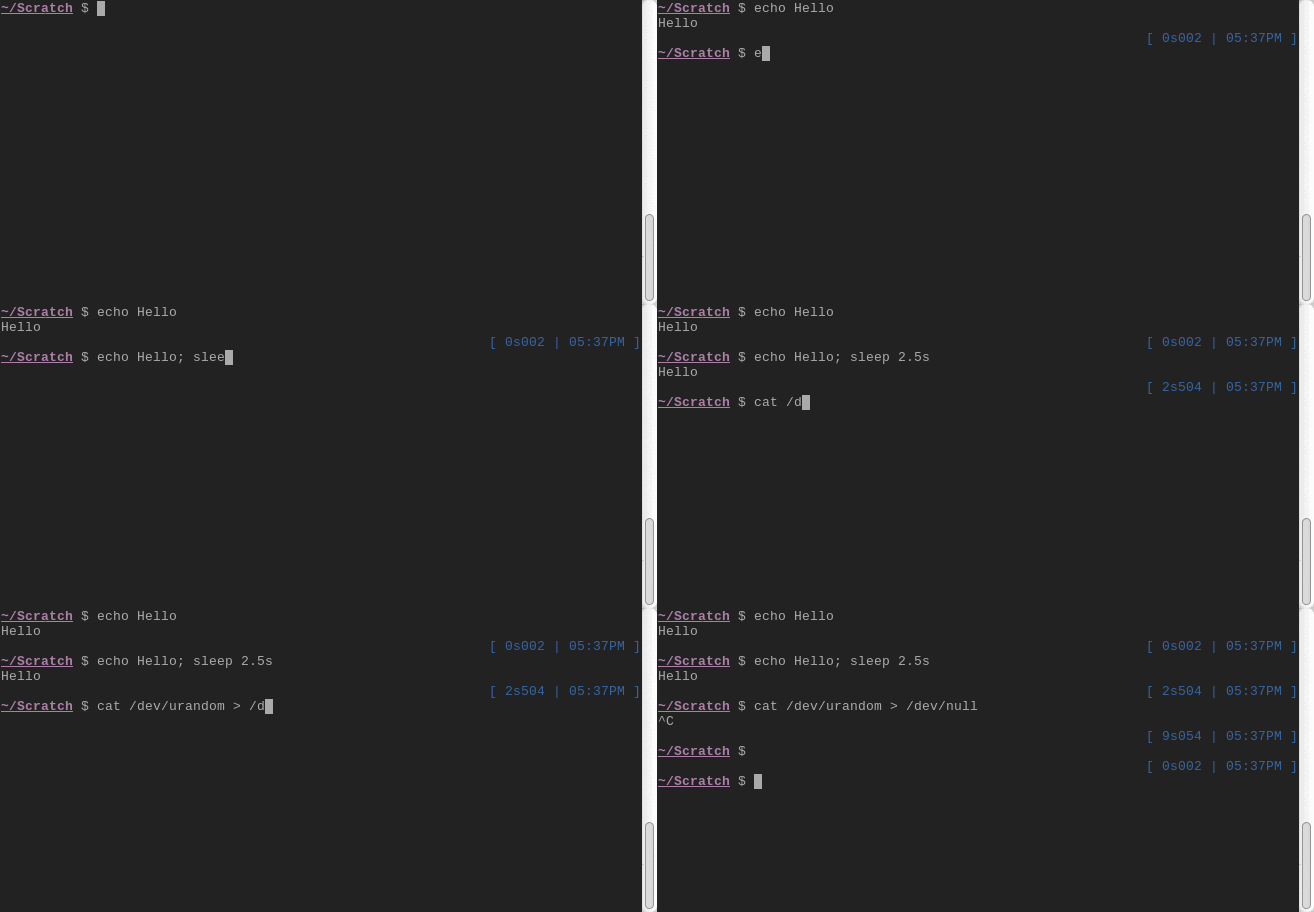
Please feel free to check it out on GitHub :)
Happy Bash hacking!